Untangling from Big Tech: Getting away from Google
How I went from all in to ew Google no
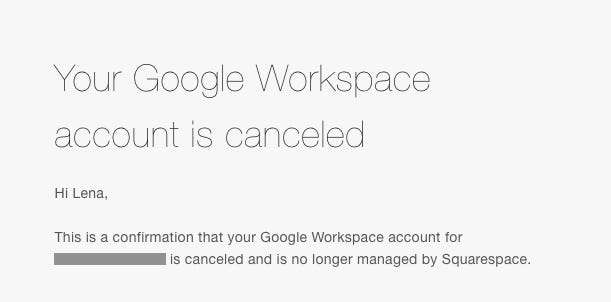
Author’s Note: To be honest, y’all, I’ve been struggling with a little writer’s block, and this post has sat as a draft for over a month now. More on my writing challenges later. Right now, though, my procrastination feels somehow justified, as I got the email that my Google Workspace account has been officially cancelled as of this morning, just as I was sitting down to attempt to write yet again.
So far in this series, I’ve talked about identifying the reasons you want to pull back from big tech and finding alternatives to the corporate behemoth that is Amazon.
Today, I want to talk about another behemoth that it took me a little longer to break up with: Google.
Until recently, I was all in on Google.
My primary personal email was a Gmail from way back in the day. My business email ran through Workspace. My client files were primarily on Drive. Google was backing up all my photos (as was iCloud). Google was my search engine, and Chrome my default browser. Our Google-powered speaker sat in the middle of the den, sporadically eavesdropping on our lives in between playing music and telling us what time it was.
They were not only privy to, but keepers of my contacts and search history, my whereabouts via Google Maps, and who knows what else.
I’ve written before about being very unworried about that. My philosophy was ‘Meh. Everybody already seems to have my data, who cares? Especially if it makes my life slightly easier.”
I was wrong.
Yes, everybody does seem to already have my (and your) data. The file on each of us is probably enough to track and sell to us for years to come.
But that doesn’t mean we have to just leave the door open for them to keep poking around, learning things about us, manipulating our decisions, using us to train their AI systems. We know better, and now we can do better.
We can make it clear, by leaving the platforms that disregard our privacy and treat us as the product instead of the consumer, that we’re not okay with it. We can at least attempt to wrestle back some privacy and mental autonomy from the machine, right?
But… how? Logistically, that seems like a nightmare.
Google (and Amazon, Meta, et al) are like digital kudzu—everywhere, all encompassing, and dead set on choking the diversity out of your digital ecosystem.
When you think of all the times you’ve used Google to log into another website, back up your contacts or photos, or just search for something, it can feel easier to just accept your demise and let it consume the landscape.
The honest truth is you may never be able to fully remove yourself from some of these ubiquitous platforms. They’re so big at this point that they are providing the infrastructure for other parts of the web.
Does that mean you shouldn’t try? Absolutely not.
Maybe it’s my own rebellious nature, but the more I realized how much control I had turned over to a handful of tech bros, the more I wanted out.
Even if you can’t break completely free, you can choose to use them intentionally, and you can look for other options in the places where you do have a choice.
As usual, I don’t have all the answers, but I can tell you what I’ve done in my own life. Here are a few solutions I found to replace Google for my most common needs.
Google (& Amazon, Meta, et al) are digital kudzu. Everywhere, all encompassing, and dead set on choking the diversity out of your ecosystem.
Google Chrome
Chrome is keeping track of your every move for marketing purposes. You know it, I know it, those creepy ads following you around the internet know it.
Switching to a more privacy-focused browser is one of the fastest and easiest changes you can make.
After researching a ton of different browser options, I downloaded Brave on my phone, iPad, and computer, and I really like it. It has an extremely simple setup, blocks trackers out of the box, and works with Chrome extensions so you don’t have to lose all the functionality you’ve grown accustomed to.
If Brave doesn’t work for you for some reason, a few other frequently recommended options are LibreWolf, Firefox, and DuckDuckGo. They may require a bit more setup, but they may also allow more control over settings if you’re tech-savvy and have particular browser needs.
Google Search
We’ve all gotten so used to automatically going to Google to search for things that we likely don’t stop to think whether we’re getting the most useful results, or who those results benefit.
When you use their search engine, whether through Chrome or on its own, you’re getting a curated selection of results filtered through Google’s criteria.
This is not the days of yore when Google scoured the internet and served up results based on somewhat transparent points like quality backlinks and relevance to your search.
The algorithm of 2025 is complex, obtuse, and heavily skewed. This is the Internet of Corporations, and we are the product.
In my anecdotal experience, the results I get from searching in the Brave browser are often wildly different from the Google results, which tend to favor big box stores and offer up a huge number of Amazon links.
Another privacy-focused search option is DuckDuckGo. I haven’t personally used it, but I’ve researched it a bit, and it comes highly recommended.
The algorithm of 2025 is complex, obtuse, and heavily skewed. This is the Internet of Corporations, and we are the product.
Gmail and Google Workspace
I get it. Changing your email address is nearly as much of a pain as getting a new phone number, especially if you do a lot of tasks online. But if you’re still using Google as your primary email provider, it might be time to consider switching.
The good news is, the options are much better now than they were a few years ago. Whether you need a single email address with a little bit of storage, a full suite solution for your whole family, or you have a business, there’s an option that will work for you.
I ultimately switched to Proton Mail and opted for their Duo plan, which includes Proton Drive (their equivalent of Google Drive), Proton Pass (password keeper), Proton Calendar, and Proton VPN.
I’ve been very happy with their email and password service, and the VPN seems good as well, based on my limited knowledge, but I’m not the biggest fan of Proton Drive yet. The file side seems okay, but I have yet to get my photos to back up automatically, and my files don’t seem to be syncing between devices. Is it a me issue or a Proton issue? Hard to say, but it hasn’t made me regret my decision yet.
Another option I’ve researched a bit after seeing Seth Werkheiser mention it a few times is Fastmail. They offer a suite solution as well, including email, calendar, contacts, and file storage, and have plans for both individuals and businesses.
Finally, Zoho Mail is an option I’ve seen pop up a bit in my research. They offer personal or business addresses, although they seem to be more business-focused. As with the other two, they offer additional apps like a calendar and file storage, but Zoho also has a CRM and other functionality that might make it a great fit for a small business.
Google Drive
The first thing I did was go through my Drive to see what I could clean up. I removed duplicates, downloaded old project files that no longer needed to live in the cloud, and removed myself from shared folders I hadn’t looked at in years. It took a few days of working in spurts to get everything cleaned up, mostly because I run a business and had used Drive to share files with clients for years, so there were lots of loose ends.
After everything was cleaned up, I downloaded what remained. During the process, I realized there wasn’t a good reason to keep a lot of the files in the cloud, so I kept most of them on my computer. The few files that did need to be shared with someone, I uploaded to Proton Drive and sent them a new share link.
If you’re using Google Drive to share an occasional file, you might be fine using the file sharing that comes with most of the email accounts listed above. If you need something with more space or more control, Dropbox is popular.
Google Photos
This felt almost as daunting as switching emails. I had Android phones for years before I got my current iPhone, so there was at least a decade of photos in Google Photos. The more recent years were also backed up in iCloud, so I did a little experimenting to find the best way to download them.
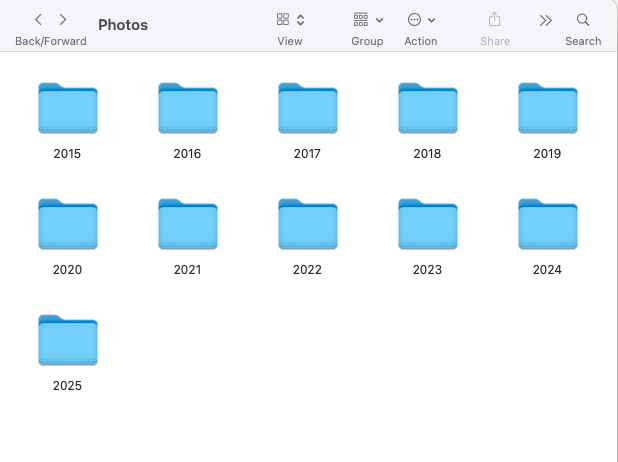
I originally tried requesting an export from Google, but it gave me dozens of zip files filled with even more folders that seemed to be in no particular order. After getting frustrated with that, I ultimately just went through and selected all the photos from one month at a time and downloaded them to folders on my computer.
It sounds tedious because it was, but I did it in 15-30 minute chunks as I had time over a few weeks, and I’m really glad I did. I took a little extra time to delete most of the screenshots and junk pics and organize them by year and month, and it made accessing them so much easier.
I also took a little time to get some recent pics printed. We put a few up around the house, sent some copies to grandparents, and put the rest in an album I happened to have lying around. I only spent a few dollars, and the kids love looking through photos. Plus, it allows us to actually revisit and enjoy the memories that normally just live in my phone, so my goal is to do this monthly or quarterly.
I ended up storing my photos on a separate hard drive, but I plan to keep a backup copy on a USB and possibly on my hard drive as well.
Remember, you don’t have to tackle this all at once. I highly recommend taking one tiny action at a time. Maybe you dedicate 15 minutes a day to this project of untangling yourself and do one small thing, like checking out a more secure browser or downloading some of your photos from the cloud. Those tiny actions will add up to a more resilient digital ecosystem.
Thanks for reading The Resistance Garden! This publication is a passion project squeezed in between freelancing, parenting, and actual gardening. If you’ve found value in something I’ve shared and want to show your support, it would be mind-bogglingly awesome if you could like it, share it with a friend, restack it, or even buy me a coffee below. Until next time!
Thanks for this.
I really appreciate you documenting this process. My partner and I are deep into what we’re calling our Digital Clean Up project and it’s staggering to realize the depth and extent of it– kudzu is the perfect metaphor.
On another note- did you change the name of the Substack from Resistance Garden? I had trouble finding it and then after searching the new name came across another one listed under @ presswatch. Wondering if others may encounter the same issue.